Demo
How the Sextant demo works
The demo is Sextant itself — its interface and its product logic, including the background service worker that does the work in the extension — running in your browser against Northstar Subscriptions, a Salesforce org that does not exist.
What is real
- The Sextant interface: Search, the inspector, Activity, Translate, New Custom Labels, the deploy tray, the comparison between orgs, snapshots and Settings.
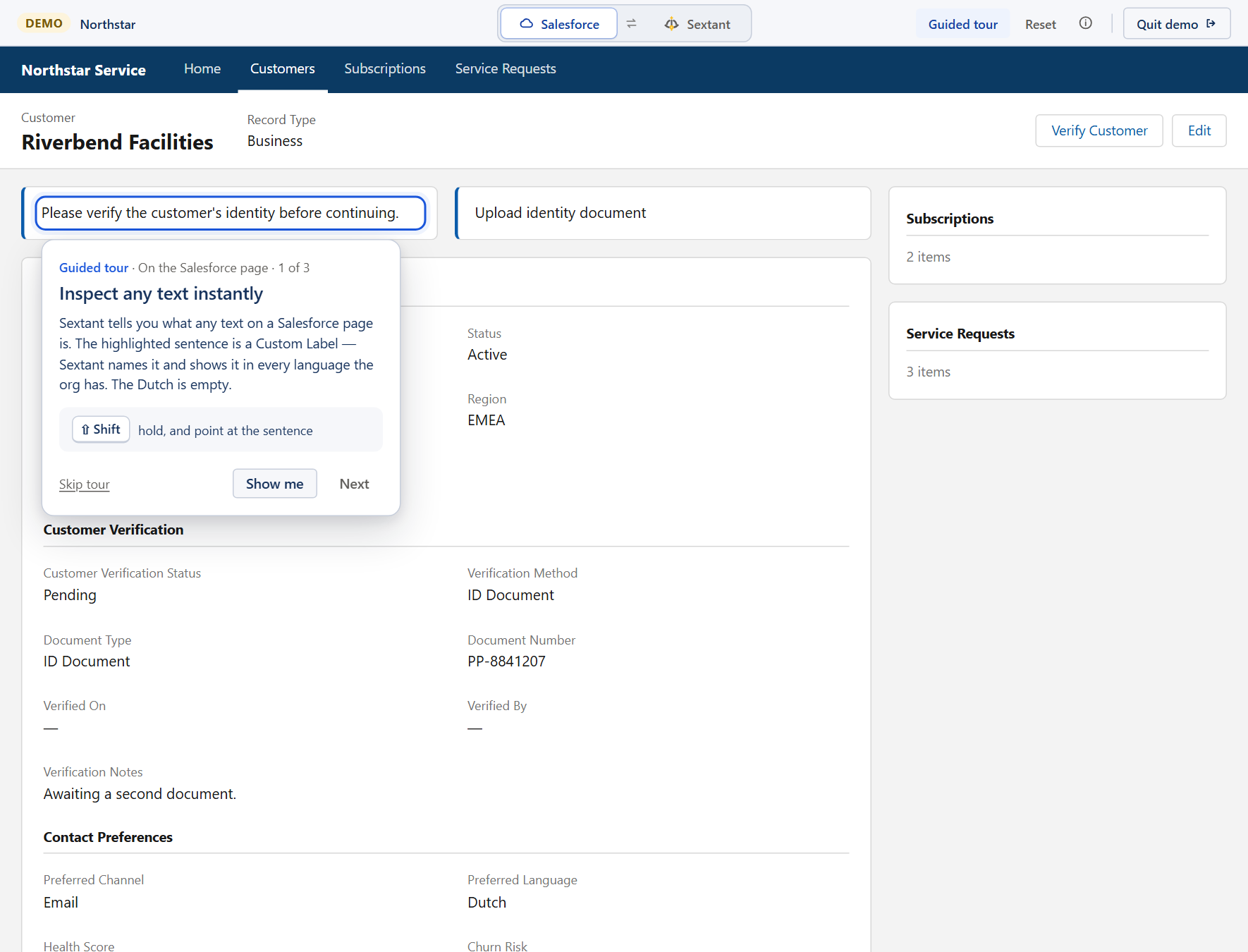
- The half of Sextant that runs inside a Salesforce page: hold Shift and point at a label on the demo's record page to inspect it, or press Alt+T to mark every translation on it. That is the extension's own content script, on a synthetic Lightning page.
- The product logic behind it, including the extension's background service worker, unmodified: indexing, change detection, deploy batches and the checks every write goes through.
- What you do changes what you see: a translation you deploy appears in Search, in the inspector and in Activity.
What is simulated
- Salesforce. Northstar answers from synthetic data inside the page; there is no connection to any org — including the record page itself, which is a stage built from Northstar's own metadata.
- Deployments. They complete in a few seconds and change only this demo.
- Time. Northstar's history was generated once and is moved to the moment you open the page, so something that happened this morning still reads as this morning.
- Three environments — Production, UAT and Development — with the differences a real team would have between them.
What is not in the demo
- A real Salesforce org: signing in, and anything that needs your own metadata or your own permissions. The Salesforce page in the demo is synthetic too — a record page built from Northstar's own fields, labels and picklist values, with the real Sextant running on it.
- The toolbar popup, which is part of the browser's own chrome.
Privacy in the demo
The demo requests nothing but its own files from this site: its Content Security Policy blocks every other request (connect-src 'none'), and its service worker refuses network requests as well. It sets no cookies, has no analytics and keeps nothing in your browser's storage — reloading or closing the tab starts again from a fresh Northstar. Reset demo does the same without reloading.
Northstar is fictional
Northstar Subscriptions, its people, components and translations were written for this demo; nothing in it comes from a real organization. Its addresses cannot reach anyone either: host names use northstar_demo, which Salesforce does not allow as an org name, e-mail addresses end in .example, and every record id contains DEMO. Any resemblance to a real company is a coincidence.
Start somewhere specific
Each link opens the demo on one part of the product. The links carry no data: the demo starts from the same state for everyone.
- Inspect a label on a Salesforce record page
- Translate All: mark every translation on the page
- Search across the org's metadata
- A Custom Label in the inspector
- Activity: what changed, and who changed it
- Translate the components you are working on
- Compare translations between Production and UAT
- Create Custom Labels with their translations
- Settings
How it is built
- The page and the service worker are Sextant's own source code, built for the web instead of for the extension.
- A small runtime provides the part of the browser-extension API Sextant uses — messages, storage, alarms — inside the page. The service worker runs in a Web Worker and the storage lives in the page, so a restarted worker wakes up onto the same data, as it does in the extension.
- The module that sends requests, and the Salesforce API clients above it, are replaced at build time by versions that answer from Northstar. Nothing else in the product changes, and automated checks fail if the extension ever depends on the demo.
- The starting state is not hand-written. It is what the real service worker recorded while living through seven weeks of Northstar's history, replayed deterministically when the demo is built.
- Every demo build is scanned: no destination other than its own files, no tracking, no AI provider code, and no Salesforce id, host or e-mail address that is not synthetic.
Installing Sextant
Sextant has not been published on the Chrome Web Store yet.