How to compare translations between Salesforce orgs
On this page 6 sections
Salesforce has no screen that compares translations between two orgs. There are two ways to do it with what it gives you: export a Bilingual file from Translation Workbench in each org and compare the files, or retrieve the translation metadata from each org and diff it in source control. Both answer what differs today; neither answers who changed it, because Salesforce records no author for a translated value.
Why orgs drift apart
Translations are metadata, so they move between orgs only when someone deploys them — and they are often edited where it is quickest: a translator fixes a label in production, an admin finishes the Dutch in UAT and the change set that follows leaves it behind. After a few releases each org has translations the others do not, and nobody can list them.
Option 1: Bilingual exports, compared as files
- In each org, Setup → Export (Translation Workbench) → Bilingual, for the same languages (Salesforce Help: export metadata translation files). Exporting needs the Manage Translation and Create Documents permissions.
- Download both sets of files from the emailed links (or your personal documents).
- Compare them with any diff tool. Each entry is keyed by the component (
CustomField.Account.Nickname.FieldLabel), so sorting both files and comparing them line by line lines up the same label in both orgs.
What it shows: labels translated differently, translated in one org only, or present in one org only. It needs no developer tools and covers everything Translation Workbench translates. What it does not cover: object names and standard field labels set in Rename Tabs and Labels, which are not in Translation Workbench's files.
Option 2: retrieve the metadata and diff it
For a team that keeps metadata in source control:
- Build a
package.xmlthat names the translations and the components they translate —CustomObjectTranslationwith the objects' fields,TranslationswithCustomLabels, the value-set translations with their value sets. Salesforce returns translations "only for the other metadata types referenced in package.xml" (Translations), so a manifest with the translation types alone brings back nearly empty files. - Retrieve it from each org — with the Salesforce CLI, for example
sf project retrieve start --manifest package.xml --target-org uat, then the same against production into a separate branch or folder. - Diff the two trees.
git diffbetween two branches shows each changed translation in context.
This is the most precise option, and the only one that also carries object names (the caseValues of CustomObjectTranslation). It needs a developer's setup, and the manifest has to be right: a component missing from it silently drops its translations from the comparison.
What neither comparison can tell you
- Who changed a translation, or when. Salesforce keeps no author or date for a translated value — not in Setup's audit trail, not in the metadata (what Salesforce does not tell you). A comparison shows that production and UAT differ, not which one is right.
- Which side is newer. Decide it per label, with whoever owns the language; a rule such as "production wins" overwrites exactly the fixes that were made in production.
- Whether the difference matters. A label that differs but that no page shows matters less than one on every record page. The missing-translations guide covers checking the pages.
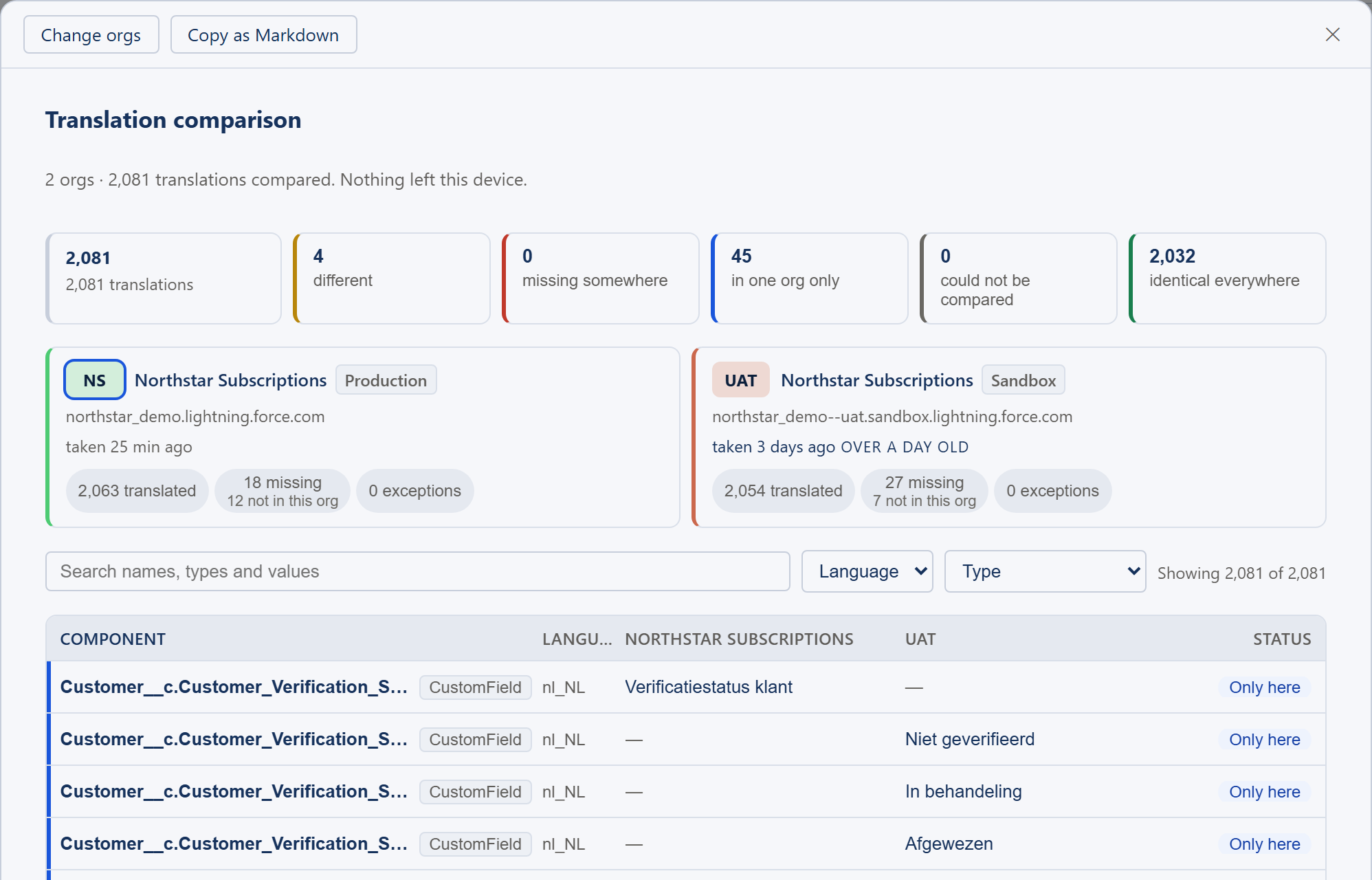
After the comparison: making the orgs agree
- Decide each difference with the language's owner, then deploy in one direction — usually from the org where translation work is done, towards production.
- Deploy the translations with the components they belong to, and run the comparison again afterwards: a translation for a component the target org does not have does not arrive.
- Keep the next drift small: translate in one org, and treat a translation fixed directly in production as a change to bring back into the others.
Related guides
- Translating a Salesforce org: where every label is translatedThe map — which Setup page translates which label, how to translate many at once, the metadata types behind them, and how to check the result.
- How to find missing translations in SalesforceUntranslated and out-of-date labels, found systematically — with Translation Workbench's export and grid, on the pages users see, and as a release checklist.
- How to translate Custom Labels in SalesforceThree ways to translate a Custom Label, how code picks the translation at runtime, the three different length limits, and the retrieve pitfall that catches developers.